Part 3: Building Your Funnel
Once you’ve created your offer, your offer dashboard will look like this…
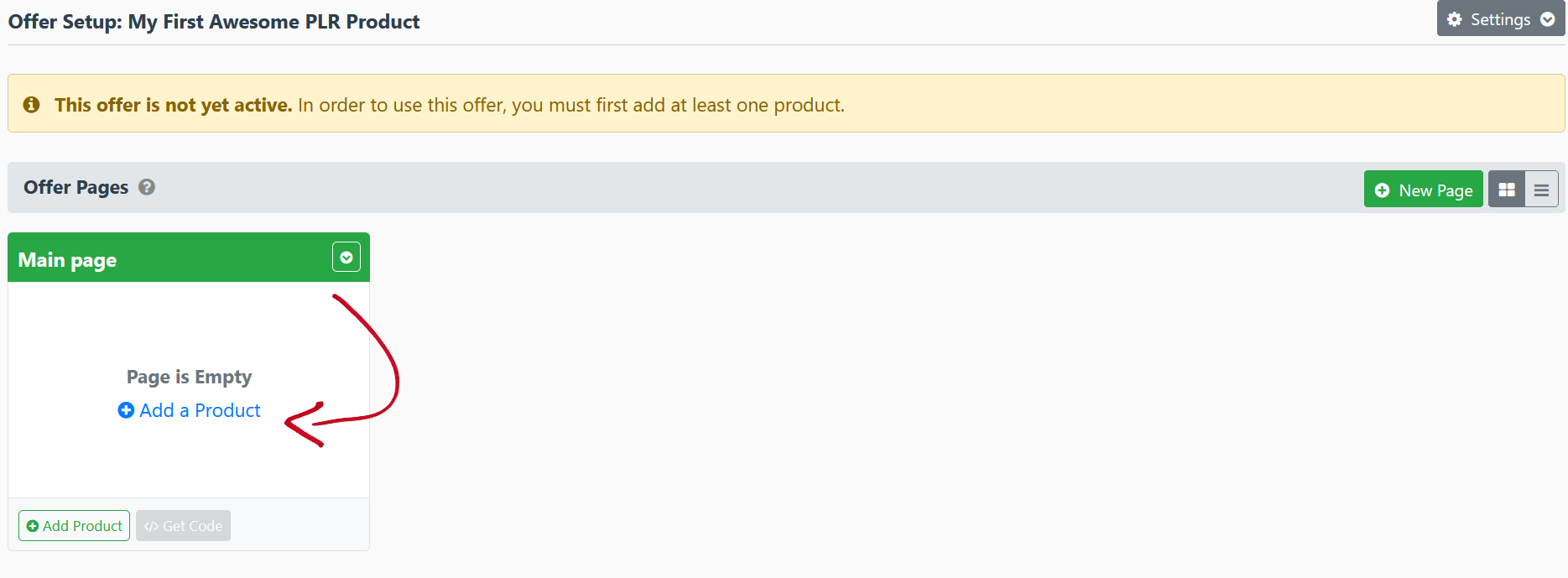
You’ve set up an offer, but there are no products in it. It’s time to add a product!
Click on ‘Add a Product’ (arrowed above)
And you’ll see this…
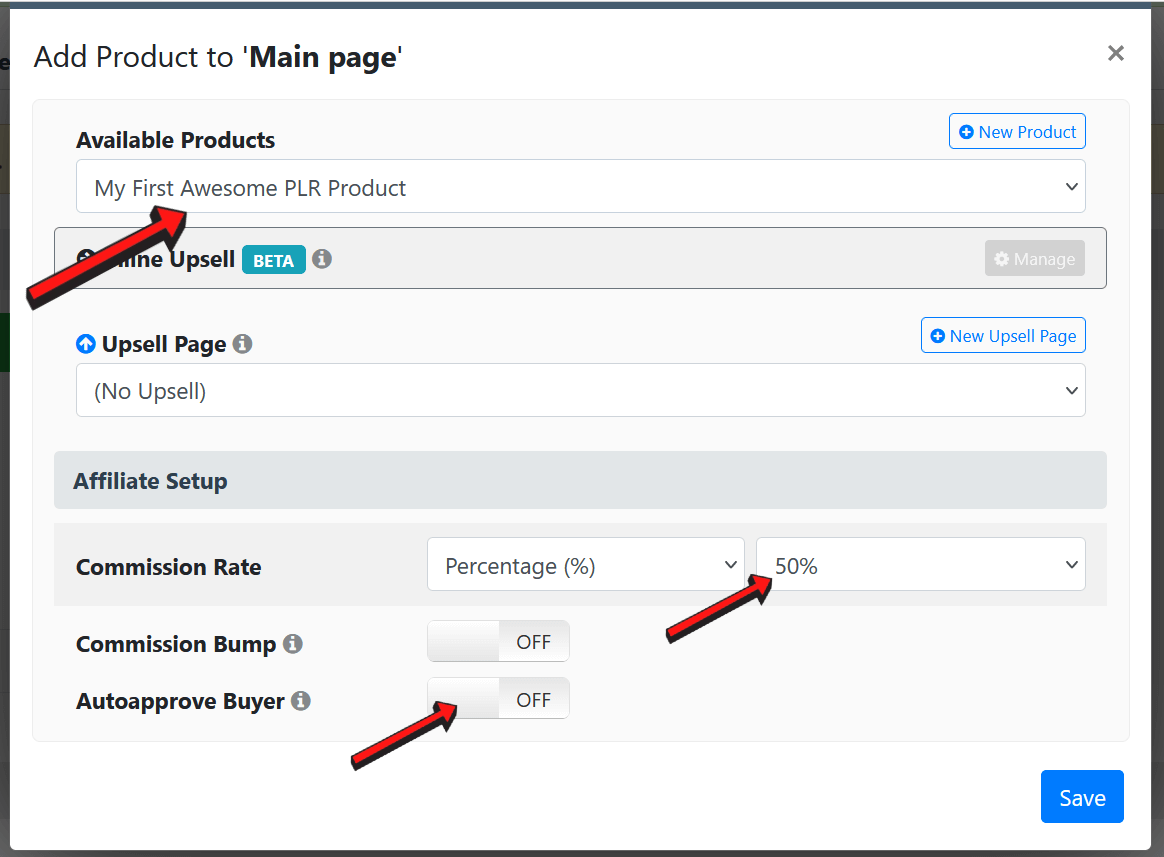
Pay attention to where the 3 arrows are.
Click the ‘Available Products’ field and choose your product. If you have a funnel, this is the first product in your funnel.
Set your commission rate next. Any rate you set here will override the commission rate you set in your product listing – just in case you wish to offer affiliates higher commissions during a product launch.
If you want people who purchase your product to automatically be approved as affiliates, you can turn on the ‘Autoapprove Buyer’ option. It’s up to you.
Now let’s talk about the ‘Commission Bump’ feature.
Let’s assume that you’re offering a standard 50% commission across your funnel, this is the rate all affiliates will get.
But some affiliates who are experienced and can ‘bring the heat’ may want a higher commission rate. So here’s where you turn on the ‘Commission Bump’ setting…